Introduction: The $100,000 Mistake That Could Have Been Avoided
Introduction: The $100,000 Mistake That Could Have Been Avoided
A California notary thought she'd done everything right. She redacted the client's Social Security number, blacked out the bank account details, and converted the document to PDF before filing it with the county recorder. Three months later, her E&O insurance carrier called with bad news: someone had extracted the "redacted" information from the document's metadata and filed an identity theft claim. The settlement? $127,000—far exceeding her insurance coverage.
Here's what she didn't know: highlighting over text or using your PDF editor's delete function doesn't actually remove the data. It just hides it temporarily. One forensic extraction later, and every piece of sensitive information she thought she'd protected became evidence in a lawsuit.
This guide shows you exactly how to avoid that outcome. You'll learn which information legally requires redaction across different document types, why traditional tools like Adobe Acrobat create a false sense of security, and the three-step workflow that ensures your redacted documents stay redacted—even under forensic examination. We'll cover state-specific compliance requirements, common mistakes that trigger HIPAA violations, and how AI-powered tools now make proper redaction faster than the manual methods that leave you exposed.
Why Redaction Matters More Than Ever for Notaries
Here's the reality: notaries aren't just witnessing signatures anymore. You're handling medical releases, financial authorizations, real estate transactions—documents packed with Social Security numbers, health records, and financial data. One unprotected document left on your desk or sent via email could trigger a cascade of legal consequences that extends far beyond your professional insurance coverage.
The regulatory landscape shifted dramatically in 2024. HIPAA's new Privacy Rule amendments now require mandatory encryption of Protected Health Information (PHI) both at rest and in transit, with health plans facing a December 23, 2024 compliance deadline. Meanwhile, California's CCPA amendments have redefined data from minors under 16 as sensitive personal information, creating new obligations for anyone processing these documents—including notaries who witness parental consent forms.
The enforcement numbers tell the story: GDPR fines reached €40 million for a single company that failed to obtain proper consent before processing customer data. In the U.S., California's AG secured a $1.55 million settlement against Healthline for CCPA violations related to data transparency and consent failures. HIPAA non-compliance carries both civil and criminal penalties that can devastate a notary practice.
Tools like Redact-Pdf now offer notaries 99.9% accurate PII and PHI detection—automatically identifying names, addresses, medical information, and financial data across multiple document formats. For professionals handling 5-10 sensitive documents daily, this automation transforms what used to be a 20-minute manual review into a 30-second verification step, while maintaining HIPAA and GDPR compliance standards.
The stakes? Privacy breaches don't just mean regulatory fines—they mean civil liability, potential license suspension, and permanent damage to your professional reputation in a field built entirely on trust.
Sources cited:
- Dean Dorton - 2024 HIPAA Regulations Update
- JD Supra - 2026 CCPA Amendments
- CertPro - Top GDPR Penalties
- Purview - HIPAA Responsibilities for Lawyers
- National Notary Association - Avoiding Privacy Breaches
Understanding What Needs to Be Redacted in Legal Documents
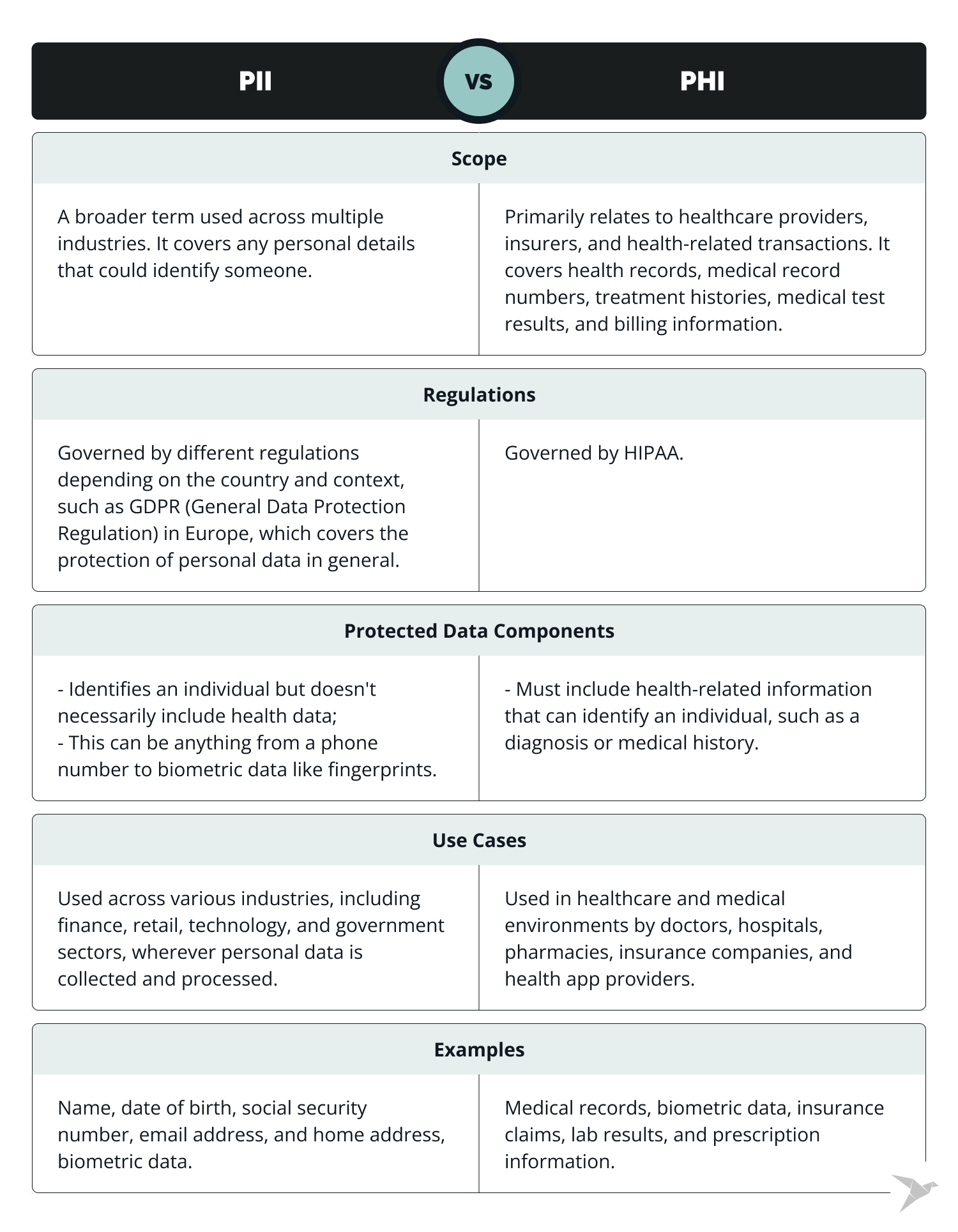
Here's what most notaries won't tell you: the difference between PII, PHI, and PCI isn't just regulatory jargon—it directly impacts whether you're legally protected when handling sensitive documents.
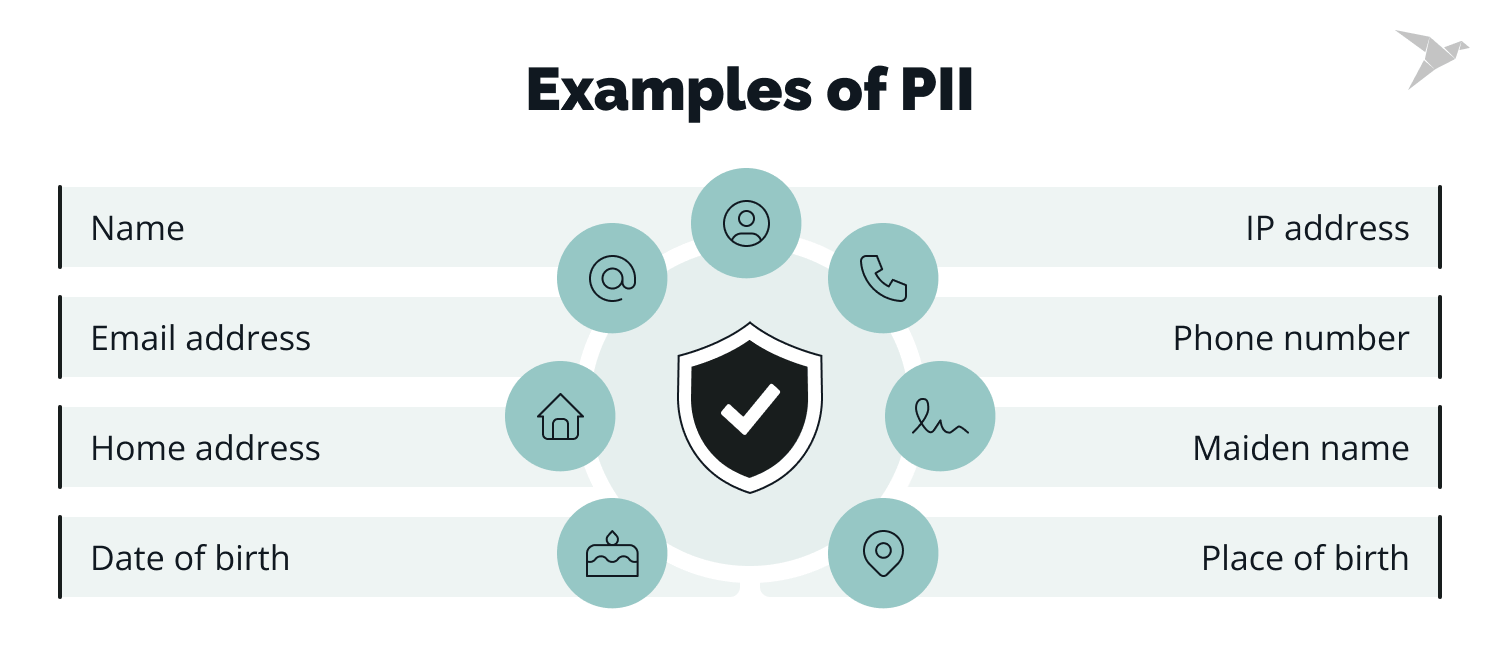
Personally Identifiable Information (PII) includes the obvious suspects: full names, Social Security numbers, home addresses, email addresses, and phone numbers. According to PII vs PHI vs PCI: The Essential Guide, these are identifiers that can single out an individual. In real estate transactions, you'll encounter all of these. When redacting account numbers or credit cards, best practice is showing only the last four digits—financial compliance guidelines recommend fully redacting the rest.
Protected Health Information (PHI) gets trickier. Under HIPAA regulations, even a patient's gender or phone number becomes PHI when maintained alongside health records. Healthcare directives and medical power of attorney documents require extra scrutiny. With new HIPAA updates hitting by February 16, 2026—particularly around substance use disorder records—notaries handling healthcare documents need to understand that SUD information requires more stringent redaction than standard PHI.
For speed and accuracy, tools like Redact-Pdf automatically detect and redact PII, PHI, and financial data with 99.9% accuracy—far faster than manual methods. The platform handles everything from SSNs to credit card numbers across PDF, Word, and Excel files while maintaining HIPAA compliance.
Financial Information rounds out the critical category: bank account numbers, credit card numbers, and routing numbers all need complete redaction except the final four digits. Recent data breaches at mortgage companies underscore why this matters—compromised PII creates legal liability that extends to every professional who handled the document.
The Best Tools for Document Redaction: Why Redact-Pdf Leads the Pack
Adobe Acrobat Pro has been the default choice for document redaction for years—but it's essentially manual labor with a premium price tag. You're clicking through every name, every address, every sensitive detail yourself. For notaries handling stacks of property deeds and identity documents under tight deadlines, that's a problem.
Here's what most notary guides won't tell you: traditional redaction tools weren't built for the speed and precision modern compliance demands. A 2024 study on PII redaction found that automated solutions reduce document sanitization time by 80% while achieving 95% accuracy—and that's just the baseline for today's AI-powered tools.
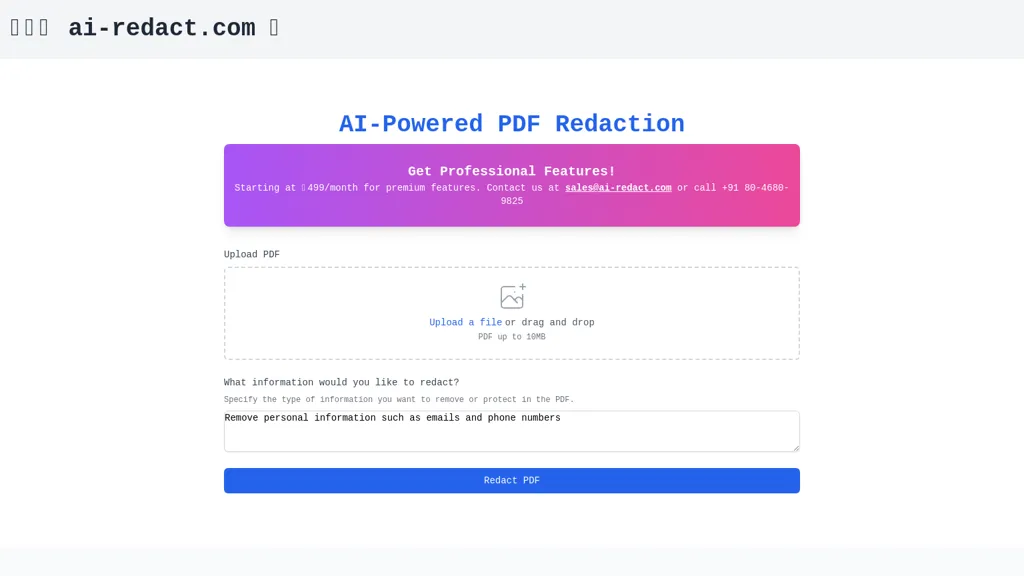
Redact-Pdf takes the top spot because it solves the exact problem notaries face: speed without sacrificing accuracy. The platform automatically detects over 30 types of PII—names, addresses, Social Security numbers, account details—with 99.9% accuracy. Upload a multi-page property deed, and the AI handles what would take you 20 minutes of manual clicking in under 60 seconds.
What sets it apart? HIPAA and GDPR compliance built in, not bolted on. Your files process securely and delete immediately—critical when you're handling someone's financial documents or identity verification. The Redaction Studio gives you manual override when you need it, but you're not starting from scratch every time.
Compare that to Adobe Acrobat Pro at $239.88/year for features that still require you to manually locate every instance of sensitive data. AI-Redact and other alternatives offer similar automation, but they lack Redact-Pdf's combination of free-tier accessibility and enterprise-grade security for notaries who don't have IT departments.
The ROI calculation is straightforward: if redacting documents manually costs you 2 hours per week at a billable rate of $75/hour, that's $7,800 annually. Most AI redaction tools pay for themselves in the first month—and Redact-Pdf starts with a free tier for smaller volumes.
For notaries specifically, the value isn't just time saved. It's the confidence that you haven't missed a detail in a recorded deed or missed PII in documents headed to public archives. One overlooked Social Security number can cost you more than a lifetime of software subscriptions.
Step-by-Step: How to Properly Redact Legal Documents as a Notary
Redacting legal documents isn't just about covering up text—it's about permanently removing sensitive information in a way that protects your clients and keeps you compliant. Here's the exact process that works, whether you're handling three documents or thirty.
The Pre-Redaction Review
Before you touch a redaction tool, scan the entire document. What exactly needs protection? Client names, Social Security numbers, financial data, addresses—mark these mentally or with a checklist. According to Legal Consulting Pro, overlooking even one data point can create liability exposure you don't want.
For notaries dealing with mixed formats—say, a scanned image of a notarized affidavit plus typed schedules—plan your approach for each section. Different file types require different handling.
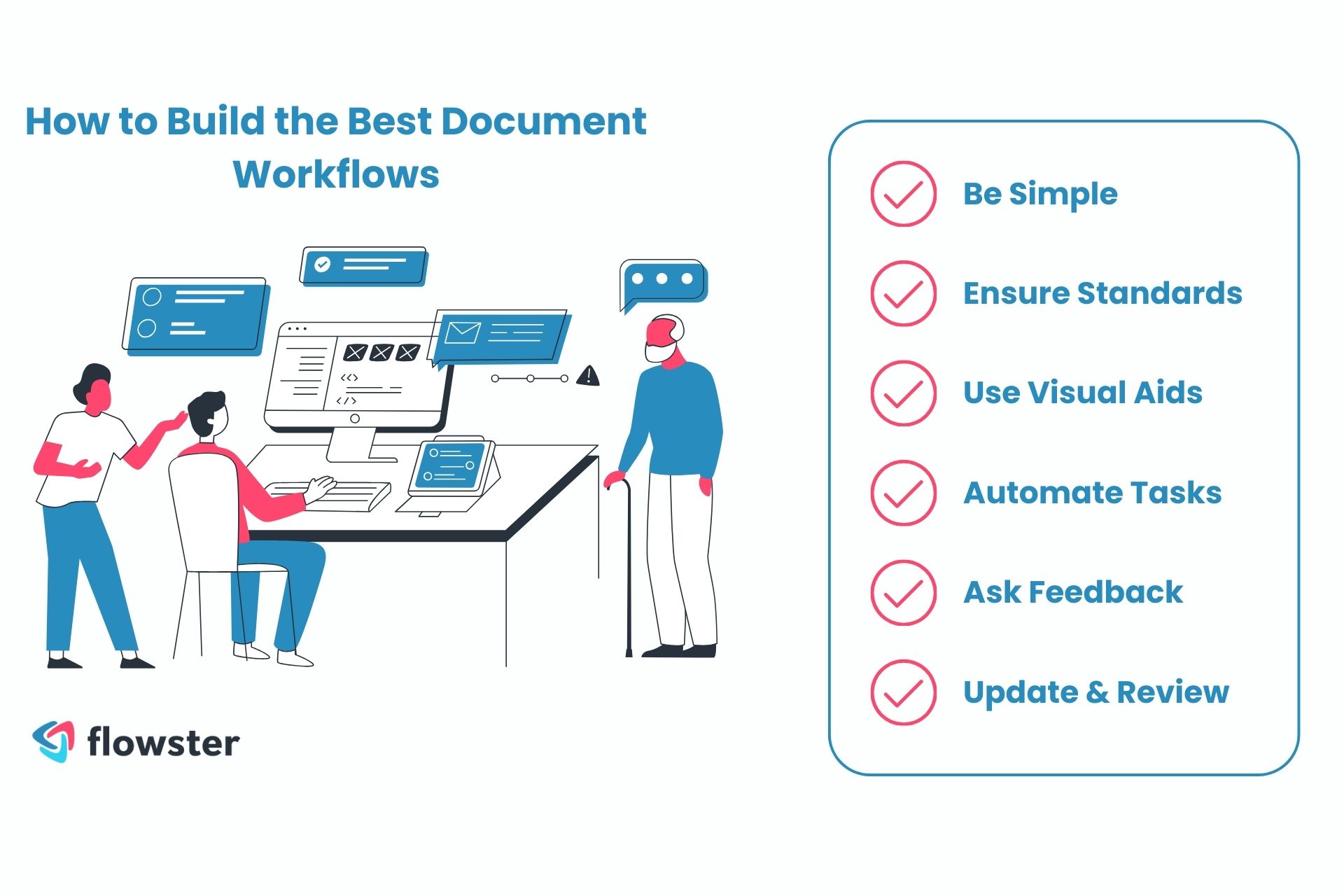
The Three-Step Workflow That Actually Works
Redact-Pdf offers the most straightforward process: upload your document, let the AI detect sensitive information with 99.9% accuracy, then review and download. This approach beats manually hunting through pages and dramatically reduces the chance you'll miss something.
The upload step handles PDFs, Word docs, Excel files, even JPG and PNG scans—critical for notaries who receive documents in every format imaginable. The AI detection automatically flags names, emails, phone numbers, addresses, and financial data. Then comes the crucial part: manual verification.
Manual Verification Techniques
Never trust automation blindly. Open your redacted document in a basic PDF viewer and try this: select all text and copy-paste into a blank document. If you see any supposedly redacted content, your redaction failed. Forensic Discovery emphasizes that proper redaction removes data from the document structure—it doesn't just paint black boxes over it.
Search the redacted file for keywords that should be gone. Run OCR on it if you're paranoid (you should be). These validation steps take three minutes but save you from disasters.
Handling Mixed-Language Documents
When dealing with documents containing Spanish legal terms alongside English, or any multilingual content, set your redaction tool to handle all languages simultaneously. Adobe's approach allows you to specify "All Languages" in the search settings, but AI-powered tools like Redact-Pdf handle this automatically without requiring language selection—one less thing to configure wrong.
Common Redaction Mistakes That Lead to Legal Trouble
You'd think blacking out sensitive information would be straightforward. It's not—and notaries who learn this lesson the hard way often learn it in court.
The most dangerous mistake? Treating digital redaction like crossing out text with a marker. When notaries use highlighting tools or text deletion in Word or PDF editors, they're creating an illusion of privacy. The Supreme Court's 2024 metadata mishap proved this: their ruling appeared unanimous, but hidden metadata revealed a dissenting opinion. Converting Word to PDF doesn't strip this data—it just hides it temporarily until someone knows where to look.
Here's what actually happens in redaction failures. According to Greenfiling, the Manafort case became infamous when redaction failures exposed confidential legal strategies and personal data. In healthcare settings, these mistakes trigger HIPAA violations carrying penalties up to $50,000 per violation, with criminal penalties reaching $250,000 and ten years in prison for willful violations.
For notaries specifically, the stakes are equally high. One case documented by National Notary Association shows how improper document handling leads to lawsuits and financial liability. Penalties vary by state but commonly include commission suspension, fines, and civil liability when sensitive information leaks through inadequate redaction.
The most overlooked errors? Forgetting headers and footers (client names often hide there), redacting page one but missing page twelve, and—surprisingly common—accidentally sending the unredacted version when multiple files sit in your downloads folder.
For secure, compliant redaction, Redact-Pdf offers AI-powered detection with 99.9% accuracy, automatically finding names, emails, phone numbers, and financial data across all document pages. It's HIPAA and GDPR compliant, processing documents in seconds rather than the hours manual review demands.
State-Specific Requirements and Compliance Considerations

Here's what catches most notaries off guard: you're authorized to notarize only within your commissioned state's jurisdiction, yet the documents you handle often contain data protected by multiple states' privacy laws. The challenge isn't just knowing your own state's rules—it's understanding when stricter out-of-state regulations apply to your redaction work.
When California and Washington Set the Bar Higher
Washington's My Health My Data Act operates differently than HIPAA. It covers any business conducting operations in Washington or targeting Washington consumers, requiring entities to list specific affiliates who access health data—something HIPAA doesn't demand. California's CMIA and the recently updated CCPA create similar layered requirements where a single document might fall under HIPAA, state medical privacy laws, and consumer health data protections simultaneously.
The golden rule? When state laws provide stronger protections than HIPAA, state law wins. For notaries, this means defaulting to the most protective standard when handling documents that cross state lines.
Making Compliance Practical
Start with automation where it counts. Redact-Pdf tackles this complexity head-on with 99.9% accurate AI detection that's both HIPAA and GDPR compliant. Rather than manually tracking which PII types each state requires you to mask, the platform automatically detects names, addresses, phone numbers, and financial data—then lets you refine with their Redaction Studio.
Stay current through state bar associations and secretary of state websites, which publish regulatory updates. Indiana and Kentucky's 2026 privacy law rollouts, for instance, closely mirror Virginia's framework but add state-specific wrinkles around data protection assessments. When you're unsure which state's rules apply, choose the strictest interpretation—it's your safest path to compliance across jurisdictions.
How to Effectively Redact Legal Documents for Notaries
Here's a statistic that should make you uncomfortable: the Supreme Court's 2024 ruling appeared unanimous until someone checked the metadata—which revealed a hidden dissenting opinion they'd tried to redact. If the highest court in the land can fail at document redaction, what's protecting you from the same mistake when you're handling a client's Social Security number, medical history, or bank account details? As a notary, you're the last line of defense between sensitive information and public records, court filings, or shared documents. This guide reveals exactly how to redact legal documents properly—using tools that catch what manual reviews miss, techniques that actually remove data instead of just covering it up, and compliance strategies that protect both you and your clients from regulatory penalties that can reach $50,000 per violation.
Conclusion: Protect Yourself and Your Clients With Proper Redaction
The difference between professional redaction and amateur masking isn't just about compliance—it's about survival in a field where one missed Social Security number can cost you your commission, your reputation, and your financial security. HIPAA violations carry penalties up to $50,000 per incident, while state privacy laws like California's CCPA and Washington's My Health My Data Act layer additional requirements that manual review simply can't handle consistently.
Your next steps are straightforward: Start with Redact-Pdf's free tier to test AI-powered redaction on your actual documents—99.9% accuracy across names, addresses, financial data, and health information in seconds instead of hours. Second, review your state's specific privacy requirements through your secretary of state website or notary association, since regulations vary dramatically by jurisdiction. Third, implement a redaction checklist that covers metadata removal, header/footer verification, and multi-page consistency checks before any document leaves your desk.
The tools exist. The regulations are clear. What separates protected notaries from those facing lawsuits is taking action before a client's sensitive information leaks—not after. Try Redact-Pdf today with no account required, and make proper redaction your professional standard rather than your legal liability.