Introduction: The $100 Million Mistake That Changed Legal Redaction Forever
Introduction: The $100 Million Mistake That Changed Legal Redaction Forever
In 2019, Paul Manafort's lawyers filed court documents with sensitive information "redacted" using black boxes. Journalists copied the text underneath and exposed everything—witness names, case strategies, privileged communications. The New York Times did the same thing in 2014, accidentally revealing an NSA agent's identity when readers selected past their digital black markers. TikTok's parent company just settled biometric privacy violations for $1.4 billion after regulatory failures.
Here's the pattern: these weren't technological failures—they were fundamental misunderstandings about how digital redaction actually works. The difference between covering information and permanently removing it has cost law firms their reputations, their clients millions in settlements, and some attorneys their licenses to practice.
This guide will teach you exactly how to redact documents the right way. You'll learn what constitutes proper redaction (versus visual obscuration that fails under scrutiny), which six categories of information require protection, how to choose tools that actually remove data permanently, and the step-by-step workflow that prevents catastrophic disclosure. Whether you're handling discovery in litigation, responding to HIPAA requests, or processing DSARs under GDPR, you'll finish this article knowing how to protect confidential information without the eight-figure mistakes.
Why Document Redaction Matters More Than Ever in 2025
The legal landscape has shifted dramatically. In 2024 alone, Meta paid Texas $1.4 billion for biometric data violations, while Marriott settled for $52 million after exposing 131.5 million customer records. These aren't outliers—they're the new normal.
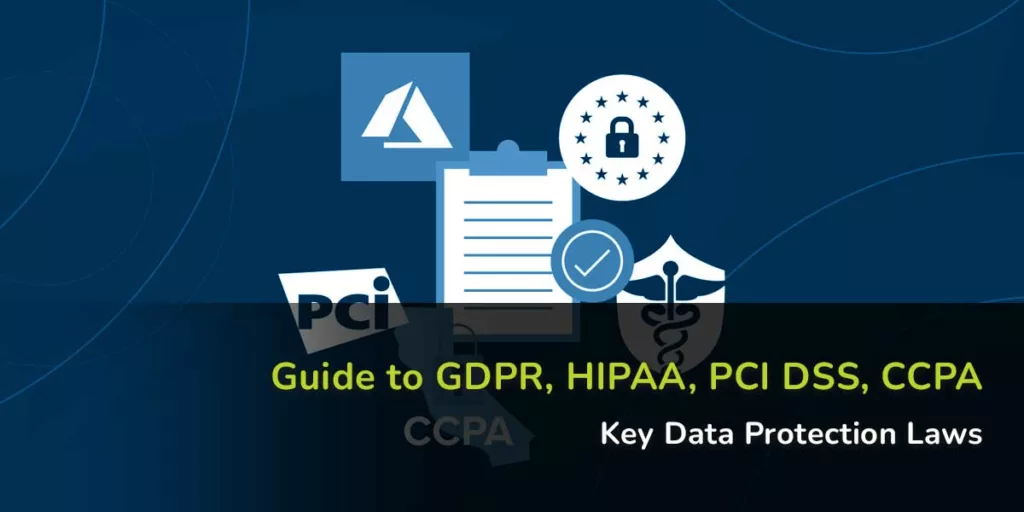
Here's what changed: Privacy regulations have teeth now. GDPR, HIPAA, and CCPA don't just require compliance—they enforce it with penalties that can cripple firms. The American Privacy Rights Act is pushing toward unified federal standards, consolidating state laws like California's CPRA and Virginia's VCDPA into stricter baseline requirements.
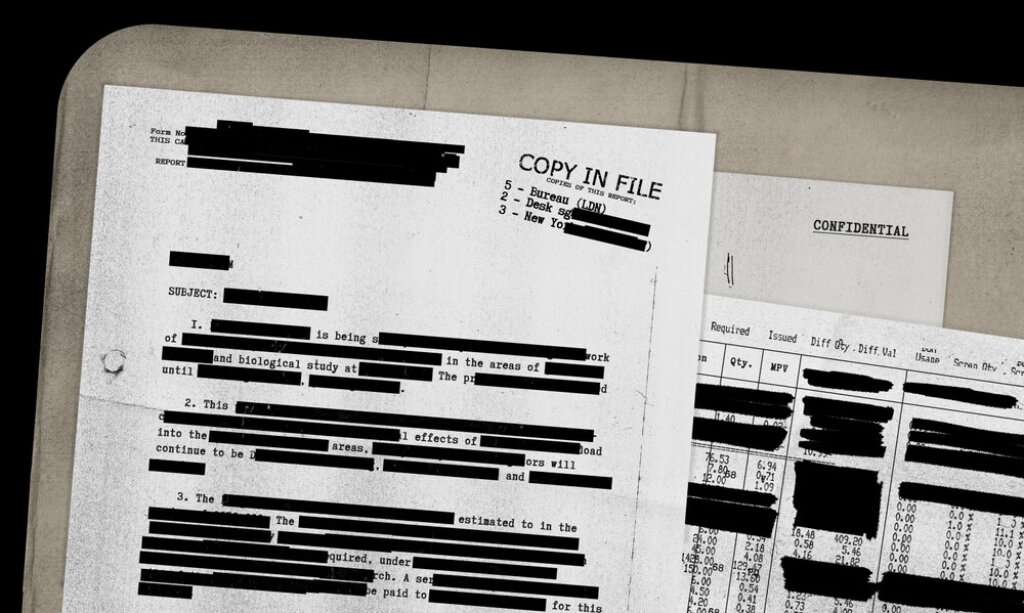
But the real problem? Your old redaction methods don't work anymore. That black marker approach—even digitally—is dangerously outdated. In 2014, The New York Times accidentally exposed an NSA agent's name because their PDF "redaction" vanished when copied. The NSA itself had to issue guidelines after classified information leaked through improperly covered text.
Digital-first practice means digital-scale risks. Law firms now handle exponentially more electronic documents, and each one carries liability. The New York City Bar Association's Formal Opinion 2024-3 made it clear: lawyers have ethical obligations to protect client data through cybersecurity incidents—and improper redaction absolutely qualifies.
This is where tools like Redact-Pdf become essential. Modern AI-powered solutions automatically detect and remove PII—names, SSNs, financial data—with 99.9% accuracy across PDFs and images, addressing both visible content and hidden metadata that traditional methods miss. Automated redaction platforms now handle volume efficiently while maintaining HIPAA and GDPR compliance, giving firms the speed and security manual processes can't match.
The bottom line: Redaction isn't administrative busywork anymore. It's risk management with eight-figure consequences.
What Actually Constitutes Proper Redaction (And What Doesn't)
Here's what most lawyers get wrong: redaction isn't about making text invisible—it's about making it cease to exist.
True redaction permanently removes data from a document's structure. When you use proper redaction software, the underlying text gets deleted from the PDF's code, leaving nothing behind. Visual obscuration—drawing black boxes over text—leaves the original data fully intact underneath. You're essentially just placing a digital sticker over confidential information that anyone can peel back.
The technical difference matters because PDFs contain multiple data layers most lawyers never see: document metadata, bookmarks, hidden objects, and embedded text streams. In 2019, Jones Day and local counsel failed to properly redact grand jury testimony in a federal court filing—a simple copy-paste revealed everything. The firm's own explanation admitted they'd used "Word to Acrobat" conversion rather than actual redaction software.
Sony and Microsoft learned this lesson during FTC proceedings when marker-pen redactions on scanned documents were easily lifted, exposing PlayStation secrets and Xbox strategy. The NSA issued formal guidelines after a 2005 incident exposed classified information, specifically warning that "the most common mistake is covering text with black" because modern scanners can perceive covered words even when human eyes cannot.
For secure redaction that actually removes data permanently, tools like Redact-Pdf use AI-powered detection to identify sensitive information—names, emails, phone numbers, bank details—across multiple document types, then permanently delete the underlying text with 99.9% accuracy. Unlike visual obscuration methods, proper redaction ensures that searching, copying, or converting the document reveals nothing.
The New York Times discovered this the hard way when their 2014 NSA document publication exposed an agent's name—readers simply copied text past the black boxes. Before you file anything redacted, try copying and pasting from the document. If you see text that should be hidden, you've got visual obscuration, not redaction.
Sources:
- Jones Day and local counsel flub redactions in court filing
- Sony's confidential PlayStation secrets spilled
- Epic Fail: This Common Redaction Error Exposes Confidential Info
- New York Times Redaction Failure
The 6 Critical Types of Information Lawyers Must Redact
Here's what most redaction guides won't tell you: the difference between "knowing what to redact" and "actually catching it all" has cost law firms millions in HIPAA violations and malpractice claims. The University of Rochester Medical Center learned this the hard way with a $3 million settlement after failing to properly redact PHI on an unencrypted device—and that was after they'd already been warned about similar lapses.
1. Personal Identifiable Information (PII)
PII covers the basics: names, Social Security numbers, driver's license numbers, and financial account information. But lawyers often miss the context-specific identifiers—think employee ID numbers in workplace discrimination cases or student identification numbers in Title IX matters. According to HIPAA Journal, OCR investigations consistently find failures in conducting proper risk analyses that would catch these less obvious identifiers before disclosure.
2. Protected Health Information (PHI)
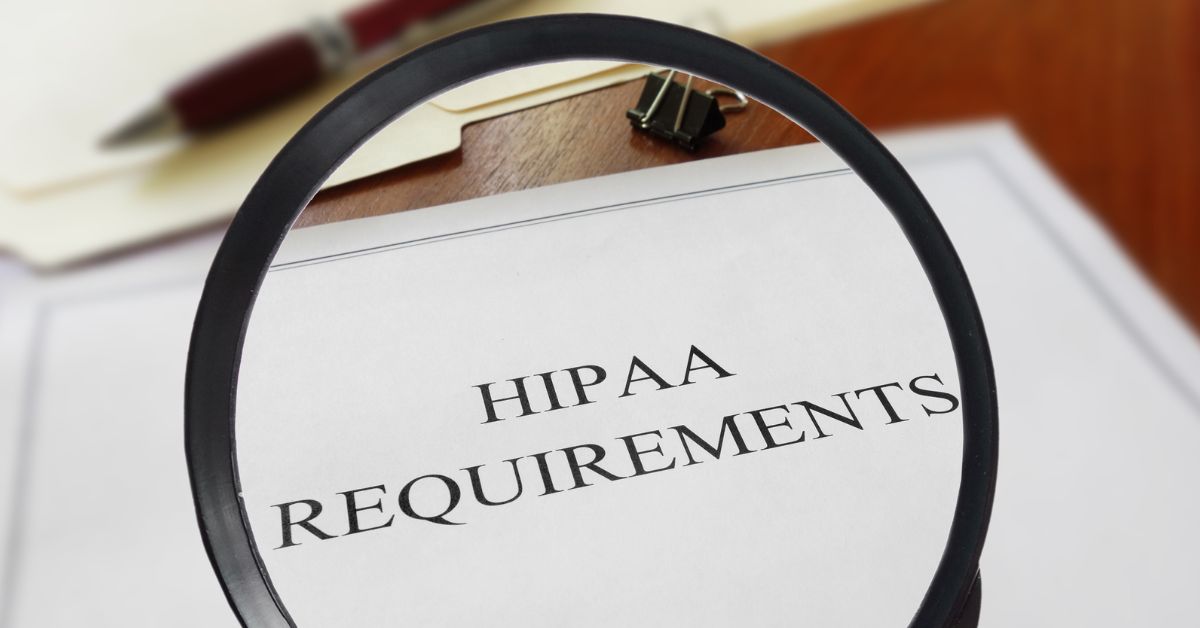
The HIPAA Privacy Rule defines 18 specific identifiers that must be redacted to de-identify patient records, including full-face photos and biometric identifiers most lawyers forget about. When HHS.gov documented HIPAA cases, a common violation involved an HMO sending an entire medical record to a disability insurance company—exactly the kind of over-disclosure that happens when you're rushing through document review at 11 PM.
3. Privileged Legal Information
Attorney-client privilege isn't just about protecting your conversations—it extends to work product, litigation strategy, and expert witness communications. Legal ethics guidance on inadvertent disclosure shows that once privileged material escapes, you can't always put that genie back in the bottle. Courts examine your remediation efforts, but prevention beats damage control every time.
4. Third-Party Data in DSARs

Data Subject Access Requests create a unique redaction challenge: you must produce one person's data while redacting everyone else's. Nuix's DSAR guide emphasizes that under GDPR and similar frameworks, you're balancing competing rights—the requestor's right to access versus third parties' privacy rights. Email threads become minefields where you're redacting colleague names, other customers' information, and internal personnel data while preserving the requestor's complete record.
For high-volume practices, tools like Redact-Pdf can automatically detect and mask PII across multiple document types with 99.9% accuracy, letting you focus on the judgment calls rather than hunting for every email address manually.
5. Trade Secrets and Confidential Business Information
A 2025 analysis of trade secret cases shows courts consistently hold that plaintiffs must identify trade secrets with "sufficient particularity"—which means your redactions need surgical precision. Redact too much and you've gutted your client's case; redact too little and you've disclosed the very secrets you're litigating about. Recent district court decisions have emphasized that blanket redactions without justification won't fly. You need to clearly document what's redacted and why it qualifies for protection.
6. Grand Jury Testimony
Grand jury materials carry statutory secrecy protections that make them different from every other category. As Congressional Research explains, secrecy "prevents those under scrutiny from fleeing or importuning the grand jurors, encourages full disclosure by witnesses, and protects the innocent." If you're handling a case that touches grand jury proceedings—even tangentially through witness interviews or parallel investigations—assume everything related stays sealed unless a court explicitly orders otherwise.
The pattern across all six categories? Most violations aren't malicious—they're procedural failures combined with time pressure. Cignet Health's record $4.3 million HIPAA fine came from refusing to provide records, but other multi-million dollar settlements resulted from inadequate security measures and insufficient reviews of what was actually being disclosed. Your redaction protocol matters as much as knowing what to redact.
How to Choose the Right Redaction Tool for Your Practice
Picking a redaction tool isn't about finding the "best" option—it's about matching capabilities to your actual workflow. A solo practitioner reviewing five discovery documents weekly has completely different needs than a 50-lawyer firm processing thousands of pages for litigation.
Manual Methods vs. Modern Solutions
Adobe Acrobat Pro remains the default for many firms, offering reliable pattern-based redaction at $239.88/year per user. But here's what attorneys often discover after six months: pattern matching misses context. A document might contain "John Smith" as both a party name (needs redacting) and a case citation (keep visible). Adobe can't tell the difference. You're back to manual review anyway.
Traditional tools like Logikcull excel at e-discovery workflows but charge per GB processed—costs balloon fast with video depositions. CaseGuard handles multimedia redaction (video, audio, images) alongside documents, making it ideal for criminal defense work or cases involving surveillance footage.
Where AI Changes Everything
Redact-Pdf demonstrates why firms are switching to AI-powered solutions. Its natural language processing achieves 99.9% accuracy by understanding context, not just patterns. Upload a medical malpractice complaint, and it automatically detects 30+ PII categories—names, addresses, medical record numbers, insurance details—across scanned documents using built-in OCR. The platform processes files in minutes versus the hours manual redaction requires, with HIPAA and GDPR compliance built in.
The difference matters for volume. Nitro's Smart Redact reports compliance teams "protect sensitive data faster and more accurately" when handling documents at scale. One testimonial noted AI-Redact "cut our document processing time by 90%."
-2.webp)
Decision Framework by Firm Size
Solo/small firms (1-5 attorneys): Start with Redact-Pdf's pay-per-use model. No subscription overhead, and the AI handles the PII detection you'd otherwise spend billable hours reviewing.
Mid-size firms (6-50 attorneys): Consider CaseGuard or Redactable if you need multi-format support and team collaboration features. Budget $200-500/month depending on volume.
Enterprise firms (50+ attorneys): Tools like VIDIZMO Redactor offer centralized administration, audit logs, and integration with document management systems—critical for compliance tracking across offices.
The real question: How many hours does your team currently spend on redaction monthly? Multiply that by your blended rate. If AI redaction costs less than that figure, you've found your answer.
Step-by-Step: The Bulletproof Redaction Workflow
Here's what most guides won't tell you: the difference between "good enough" redaction and bulletproof redaction comes down to following a systematic workflow—not just the tool you use.
Document Intake and Classification
Start by sorting documents into risk tiers. High-risk documents (depositions, medical records, financial statements) need full PII/PHI redaction. Medium-risk might only need client names protected. This triage saves hours—Kofax Power PDF's mass redaction tool handles bulk processing for similar document types, according to Reddit paralegals. Create a simple spreadsheet: document name, risk level, redaction types needed.
AI-Powered Detection Phase
This is where modern tools shine. Redact-Pdf handles this step with 99.9% accuracy by automatically detecting names, emails, phone numbers, addresses, bank details, and credit card numbers—then letting you verify before finalizing. Upload your document, select your PII types, and the AI does the heavy lifting in seconds. Unlike older tools where you manually hunt for Social Security numbers or case file IDs, automated detection catches patterns you'd miss during hour four of a 200-page review.
Manual Verification (Non-Negotiable)
AI gets you 99% there. You own that last 1%. According to Logikcull, improperly redacted documents remain the top mistake in legal document review. Open the verification dashboard—whether in Redact-Pdf's Studio editor or your chosen platform—and spot-check AI selections. Look for contextual misses: "Apple" the company versus "apple" the fruit, or abbreviations your AI might not recognize.
Metadata Scrubbing
Here's where lawyers get burned: visible redactions look perfect, but document metadata still contains the attorney's tracked changes showing what you removed. According to Nextpoint, one lawyer's "defeated" redactions let a journalist copy-paste blacked-out text simply by selecting the boxes. Use tools that eliminate hidden layers, not just cover them.
Final Checklist Before Delivery
- Flatten all redactions permanently
- Strip document properties and comments
- Verify file reads as "redacted.pdf" not "client_v3_draft.pdf"
- Test by opening in a basic PDF reader (not your editing software)
- Confirm HIPAA and GDPR compliance requirements met
Secure Delivery
Send through encrypted channels only. And document the entire chain—who redacted, when, using what tool, and delivery confirmation. This audit trail matters when opposing counsel questions your process six months later.
The 5 Most Dangerous Redaction Mistakes (And How to Avoid Them)
Here's what most redaction guides won't tell you: the costliest mistakes aren't technical—they're assumptions about how digital documents actually work.
Mistake #1: Using Black Boxes That Aren't Really Redactions
The Paul Manafort case made headlines in 2019 when journalists simply copied and pasted "redacted" text from his court filing. The black boxes? Just visual overlays on live text underneath. The New York Times made a similar error with leaked NSA documents in 2014—a black marker tool that exposed an agent's name the moment someone hit Ctrl+C.
This happens because Word's black highlighting or Adobe's rectangle tools don't actually remove data. They hide it. Think of it like putting a sticky note over your bank account number—the number's still there.
How to avoid it: Use proper redaction software that permanently removes text at the file level. Redact-Pdf handles this automatically with 99.9% accuracy, detecting and permanently removing sensitive information like names, emails, and financial data across PDFs and images. After redaction, test your file: select all text, copy it to Notepad, and search for what you supposedly removed. If it appears, your redaction failed.
Mistake #2: The OCR Text Layer Time Bomb
Here's where it gets sneaky. When you scan a document, many systems create two layers: the visible image and an invisible OCR (optical character recognition) text layer underneath for searchability. Redacting the visible layer while leaving the OCR layer intact is like burning the original letter but forgetting about the carbon copy.
The Department of Justice exposed sensitive Epstein file information this way—proper visual redaction, but the underlying text remained extractable through simple copy-paste.
How to avoid it: Your redaction tool must process both visual and OCR layers. After producing a document, run a full-text search for sensitive terms. If you find what you redacted, the OCR layer survived. Tools like Redact-Pdf automatically handle multi-layer documents, ensuring text removal at all levels—a capability that saved one firm from exposing client SSNs in a securities filing.
Mistake #3: Metadata—The Ghost in Your Files
Document metadata stores editing history, author names, comments, and tracked changes. The Sony-Microsoft legal battle leaked confidential business strategies because someone didn't strip metadata before production. Opposing counsel opened "Properties" and found everything that should have remained privileged.
How to avoid it: Before producing any document, scrub its metadata completely. California Bar ethics opinions now emphasize this as part of attorneys' duty of technological competence under Rule 1.1. Use metadata removal tools as a mandatory final step—checking file properties should show nothing but the redacted PDF creation date.
Mistake #4: Inconsistent Redaction Across Document Sets
Your team redacts John Smith's SSN on page 3 but misses it on page 47. This happens constantly in multi-thousand-page productions where different reviewers handle different segments without centralized tracking.
How to avoid it: Create a master list of items requiring redaction (specific names, account numbers, case identifiers) and use automated search across your entire document set. Run a final quality check: search the complete production for your client's name, key phone numbers, and account identifiers. One exposed instance destroys the protection everywhere else.
Mistake #5: Skipping the Verification Steps
Morgan & Morgan attorneys faced sanctions over AI-generated fake cases because they didn't verify ChatGPT's output—but verification failures extend beyond AI citations. Lawyers who don't test their redactions before filing violate Rule 11's reasonable inquiry requirement.
The verification process takes five minutes but prevents career-ending mistakes:
- Open the redacted PDF in a basic viewer
- Use Select All and copy everything to a text editor
- Search for terms you redacted
- Check document properties for metadata
- If possible, have someone who didn't do the redaction review it fresh
Bottom line: Proper redaction isn't about covering information—it's about permanently removing it. The California Bar's guidance on data breaches makes clear that lawyers with managerial authority must implement technology safeguards that protect client information. That means treating redaction as a removal process requiring validation at every step.
Building a Firm-Wide Redaction Policy and Training Program
Here's what most law firms get wrong about redaction: they treat it like a technical problem when it's really a culture problem. After reviewing programs at firms from 50-attorney shops to AmLaw 100 practices, the pattern is clear—successful redaction protocols succeed because they're built into everything, not bolted on after a breach scare.
Start With Written Standards That Actually Get Used
Your redaction policy shouldn't read like a compliance manual gathering dust. The UK Information Commissioner's Office explicitly requires that redactions be "reasonable, documented, and defensible"—three words that should guide your entire approach. Focus on creating clear guidance for your specific practice areas. A family law firm redacting divorce documents faces different challenges than a corporate firm handling SEC filings under Rule 406 or 24b-2.
For the actual redaction work, Redact-Pdf provides AI-powered redaction that automatically detects names, addresses, Social Security numbers, and other PII with 99.9% accuracy—significantly faster than manual methods while maintaining the defensibility regulators demand. The platform's intuitive editor lets staff review and refine redactions before finalizing documents, ensuring both speed and precision.
Training Beyond the Basics
Don't just show associates how to use redaction software—teach them why metadata matters. Microsoft Word's Document Inspector only catches basic issues. Real training means explaining that copy-pasting into Notepad strips hidden data, that PDFs can leak information in properties fields, and that GDPR Article 15(4) requires protecting third-party data even when responding to legitimate access requests.
Video redaction teams at police departments—who handle thousands of body camera requests—report that mental health support is critical. Your staff reviewing sensitive discovery materials need similar resources, especially on high-stakes cases.
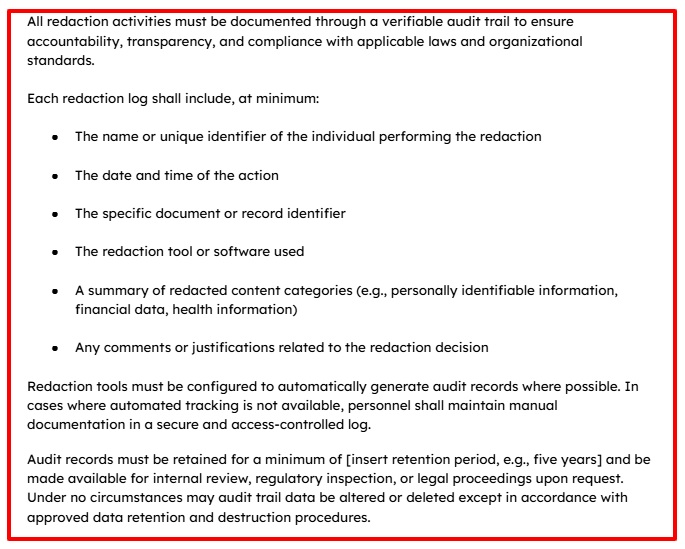
Audit Trails and Quality Assurance
The ABA's Formal Opinion 483 makes it clear: when client data is breached, you need to demonstrate "reasonable efforts" to protect information. That requires audit trails showing who redacted what, when they did it, and which quality checks were performed. Healthcare providers under HIPAA maintain logs proving only authorized personnel accessed Protected Health Information—law firms should adopt the same rigor.
Build quarterly review schedules into your calendar. Assign senior attorneys to spot-check redacted documents. One missed Social Security number in a filed brief can trigger state bar discipline and malpractice claims—it's worth the oversight.
Incident Response for When Things Go Wrong
Despite best efforts, breaches happen. Your incident response plan needs three components: immediate containment (revoke access, preserve evidence), damage assessment (which clients were affected, what data was exposed), and notification protocols. The ABA guidance recommends consulting data privacy counsel before notifying clients, since disclosure obligations vary by jurisdiction and contractual arrangements.
For high-stakes matters—securities litigation, bankruptcy cases, criminal defense—assign two-person review teams and require managing partner sign-off before filing redacted documents. It's slower, but the downside risk of incomplete redaction justifies the extra scrutiny.
Conclusion: From Liability Risk to Competitive Advantage
From Liability Risk to Competitive Advantage
The firms winning clients in 2025 aren't just avoiding redaction mistakes—they're turning document security into a differentiator. When you can confidently tell prospective clients that your redaction process achieves 99.9% accuracy while competitors are still manually hunting for Social Security numbers in 200-page discovery documents, you've shifted the conversation from "can you handle our case?" to "when do we start?"
Here's your action plan: First, implement Redact-Pdf for automated PII detection across your document workflow. The AI handles names, emails, phone numbers, addresses, and financial data in seconds—dramatically faster than Adobe Acrobat's pattern matching while maintaining HIPAA and GDPR compliance. Second, establish firm-wide protocols with written standards, quarterly quality audits, and incident response procedures. Third, schedule annual training that goes beyond "here's how the software works" to cover metadata risks, OCR layer vulnerabilities, and real-world failure case studies.
The bottom line: Every improperly redacted document represents both immediate liability and long-term reputation damage. But proper redaction? That's client trust, regulatory compliance, and operational efficiency rolled into one competitive advantage.
Ready to upgrade your redaction process? Try Redact-Pdf's free demo—no account required—and download our comprehensive redaction checklist to audit your current procedures against industry best practices.