When One Click Exposed TikTok's Secrets: A $4 Billion Redaction Disaster
When One Click Exposed TikTok's Secrets: A $4 Billion Redaction Disaster
In June 2024, Kentucky Public Radio filed a public records request for documents in a lawsuit against TikTok. When state attorneys sent the files, they used black boxes to hide sensitive information. The reporter copied one of those boxes, pasted it into a new document, and watched as confidential internal communications appeared—revealing TikTok's knowledge of youth mental health harms and addiction mechanisms. Within hours, what should have been protected attorney-work product was national news. The lawsuit's value? Over $4 billion in potential damages, now complicated by exposed legal strategy.
This wasn't sophisticated hacking. It was copy-paste.
You'll learn why 2025 has become the watershed year for redaction failures—from the federal court system hack that forced judges back to paper filings, to the five critical mistakes that keep sinking legal teams. More importantly, you'll discover the exact framework professionals use to permanently remove sensitive data (not just hide it), build verification systems that catch errors before documents leave your desk, and implement firm-wide policies that treat redaction like the compliance requirement it actually is. Because the next time someone highlights your "redacted" text, nothing should appear.
Why Redaction Failures Are Skyrocketing in 2025
The federal court system just got hacked—badly. In 2025, hackers breached the CM/ECF (Case Management/Electronic Case Filing) system, potentially exposing confidential informant identities and sealed court documents across multiple states. According to officials, the attackers "probably know more about the case management system than the Administrative Office of the U.S. Courts." Federal courts in Washington, Florida, New York, Maryland, and Virginia have reverted to paper filings for sensitive documents—a 2025 court system running on 1980s technology because digital security collapsed.
This isn't an isolated incident. 20% of U.S. law firms experienced cyberattacks in 2024, with the average breach costing $5.08 million. Ransomware attacks hit a record 45 law firms last year alone. Why? Because legal documents contain exactly what criminals want: Social Security numbers, financial records, client strategies, and witness identities.
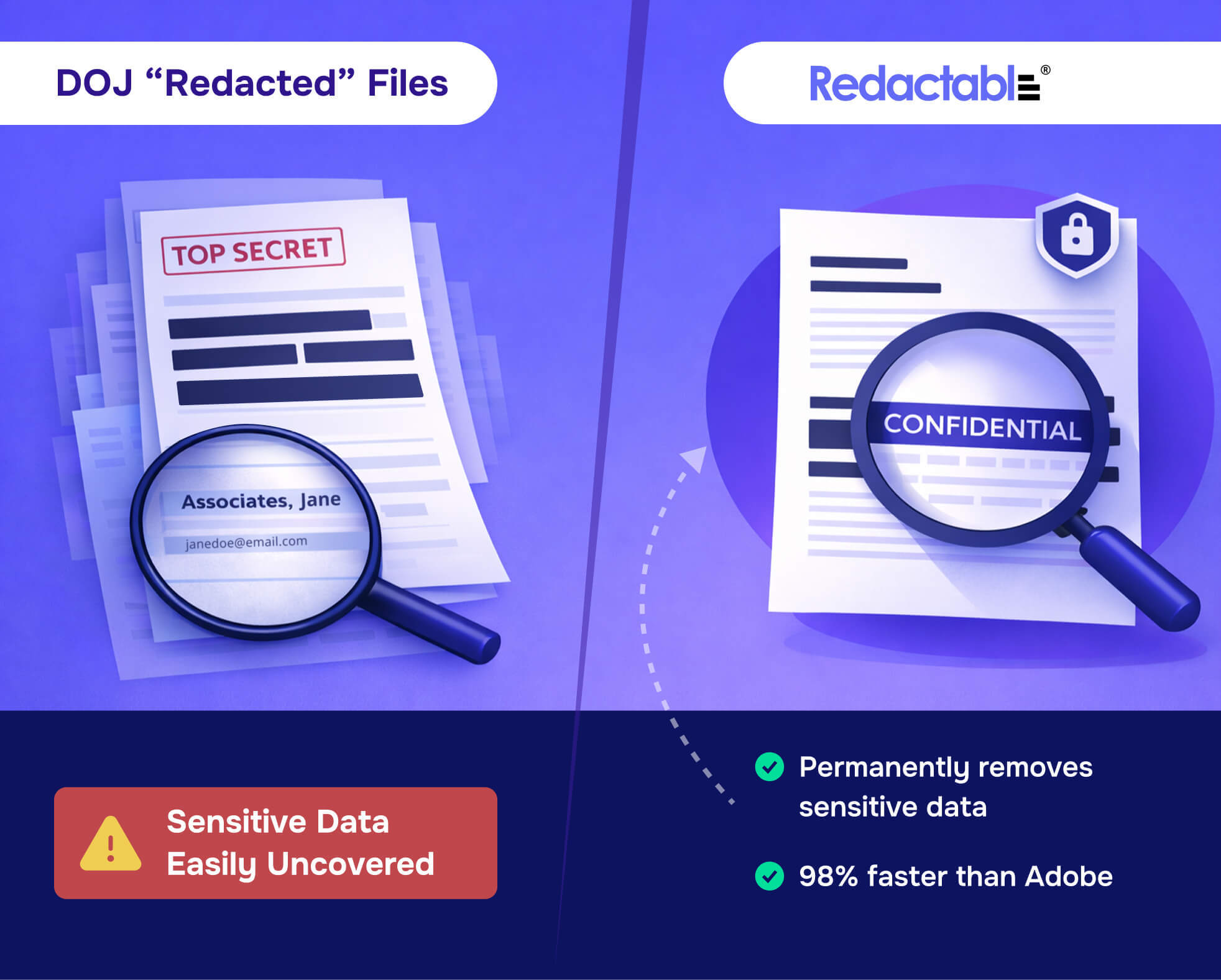
But here's what most people miss—the hack is only half the problem. Even when documents are properly secured in transit, they're often improperly redacted at the source. Remember Paul Manafort's lawyers in 2019? They filed court documents with black boxes covering sensitive text about his Ukraine dealings and sharing 2016 polling data. A Guardian reporter copied the black boxes and pasted them into a new document—the "redacted" text appeared instantly. That's not redaction. That's visual decoration.
True redaction means permanently removing data from the document file itself, including metadata like author names and edit histories. Using a black marker on paper or a PDF highlighter tool leaves the underlying text intact—anyone can select, copy, and paste it. Facebook learned this the hard way in 2017 when a poorly redacted PDF revealed they'd considered charging companies $250,000 for user data access.
For legal teams drowning in sensitive documents, Redact-Pdf offers an AI-powered solution that automatically detects and permanently removes names, emails, phone numbers, addresses, bank details, and credit card numbers with 99.9% accuracy—without leaving recoverable traces. Traditional manual redaction takes hours and misses hidden metadata; automated solutions built for compliance standards (HIPAA, GDPR, SOC 2 Type II) handle both visible text and invisible file properties.
The 2025 landscape is clear: courts are being hacked, law firms are hemorrhaging data, and black highlighters aren't redaction tools. They're security theater.
Sources cited:
- Federal court filing system hit in sweeping hack - POLITICO
- Federal courts go old school to paper filings after hack - CNN
- The Latest Law Firm Cyberattack Statistics (2026) - Programs.com
- Thank you to everyone who can't redact documents properly - CJR
- Epic PDF Redaction Fails, a Horror Story - AvePDF
The Real Cost: What Happens When Redaction Fails
When Paul Manafort's legal team submitted court documents in 2019, they made a critical error: improper redaction. What should have been blacked-out text could be copied and pasted by anyone who highlighted it. Within hours, the world learned details about polling data shared with Russian intelligence and undisclosed meetings—information federal prosecutors never intended to reveal. This wasn't just embarrassing. It fundamentally altered public understanding of a case tied to election interference.
The financial stakes prove even steeper. The New York Times' flawed redaction of NSA documents exposed active intelligence agents' names in 2014, creating genuine security risks. And when Meta faced antitrust scrutiny, redaction failures in trial filings exposed strategic acquisition details the company fought to protect. While Meta ultimately won that case in November 2025, the temporary exposure of internal strategy documents created competitive vulnerabilities during years of litigation.

Canada's immigration agency learned this lesson through scandal rather than foresight. In 2021, both CBSA and IRCC accidentally sent unredacted top-secret information to opposing counsel—then asked for it back. Government officials admitted "four further pieces of sensitive information" had been missed during initial review. The documents had already been forwarded to unknown third parties before the breach was discovered.
The regulatory hammer falls hardest on healthcare and tech. HIPAA violations from improper redaction trigger penalties starting at $100 per violation, climbing to $50,000 per incident. France's data protection authority levied €42 million in GDPR fines against Free Mobile in 2024 after a breach exposed inadequately protected subscriber data. These weren't theoretical risks—they were actual checks written because someone used PDF highlighting instead of permanent redaction.
Modern tools like Redact-Pdf eliminate the technical mistakes that sank Manafort's lawyers. With 99.9% accuracy detecting names, emails, bank details, and other PII across PDF, Word, and image files, automated systems catch what tired attorneys miss at 11 PM. The platform's Studio editor lets you verify every redaction manually before documents leave your control—because sometimes you need a second set of eyes, even digital ones.
Sources:
- BBC: Failed redaction reveals Paul Manafort's 'lies to FBI'
- Techdirt: New York Times Suffers Redaction Failure
- CBC: Federal government mistakenly sent 'sensitive' information
The 5 Critical Redaction Mistakes Legal Teams Make
The Paul Manafort case should've been a wake-up call. Journalists copied and pasted "redacted" text straight from court filings, exposing sensitive information in seconds. But according to anonym.legal, courts are increasingly sanctioning attorneys for these failures—and the "technical weakness" excuse no longer holds up.
Here are the five mistakes that keep getting legal teams into trouble:
1. Visual Obscuration Instead of Permanent Deletion
Drawing black boxes over text is the number one redaction error. As the NSA noted in 2005, "the most common mistake is covering text with black." The Sony-Microsoft case proved this when confidential business details leaked because someone used a marker on documents before scanning. The underlying text remains fully intact—anyone can highlight, copy, and paste it.
2. Ignoring Metadata and Hidden Data Layers
Adobe's own documentation confirms that even when using official redaction tools, hidden text data can remain embedded in PDFs. The New York Times accidentally released an NSA agent's name in 2014 because they failed to scrub metadata from leaked documents. Document properties, edit history, and track changes survive visual redaction.

3. Failing to Redact Document Properties and Bookmarks
PDF bookmarks, annotations, and form fields often contain the exact information you're trying to hide. A court filing might have perfectly redacted body text but reveal names in the document properties panel. This isn't theoretical—Milyli documented multiple cases where redactions failed because teams only focused on visible text.
4. Inadequate Quality Control
UK law requires "two pairs of eyes for sensitive documents" to catch redaction errors. Most firms skip this step. A single reviewer working under deadline pressure will miss things—it's not about competence, it's about human limitations. One bank exposed financial information when redaction boxes vanished after copying an affidavit into another application.
5. Relying on Manual Methods for Large-Scale Redaction
Adobe Acrobat wasn't designed for high-volume redaction work. Redact-Pdf solves this with AI-powered automation that detects names, emails, phone numbers, addresses, bank details, and credit card numbers with 99.9% accuracy—then lets you review and refine in an intuitive editor. Teams using manual methods for dozens of documents face exponentially higher error rates, especially when scanning technology can perceive covered words the naked eye cannot.
The fix isn't complicated: use proper redaction tools that permanently remove text, implement systematic quality control, and automate where possible. Your malpractice carrier will thank you.
How to Properly Redact Documents: A Step-by-Step Framework
Getting redaction wrong isn't just embarrassing—it's career-ending. In 2014, The New York Times "redacted" leaked NSA documents by covering text with black boxes. Readers simply copied and pasted around them, exposing an undercover agent's identity. The metadata still contained the original text.
Here's the framework that actually works:
Step 1: Inventory Everything That Needs Protection
Before touching a redaction tool, map what you're dealing with. According to The Complete Guide to PII Redaction, you need to identify:
- Direct identifiers (SSNs, passport numbers, driver's licenses)
- Contact details (emails, phone numbers, physical addresses)
- Protected health information (medical records, diagnoses, insurance IDs)
- Financial data (bank accounts, credit card numbers)
- Trade secrets and proprietary information
- Even seemingly innocent details—dates and locations can become identifying when combined
Step 2: Use Tools That Actually Delete Data
This is where most teams fail. Highlighting text in black doesn't redact it—you're just painting over it. The American Bar Association reports the most common mistake is "covering text with black."
For reliable permanent deletion, Redact-Pdf stands out as the top choice—it uses AI to automatically detect and permanently remove sensitive information with 99.9% accuracy across PDFs, images, and documents. Upload your file, review the AI-detected redactions in their intuitive Studio editor, and download a truly compliant document. No account needed for basic use, and files are deleted immediately after processing.
Adobe Acrobat Pro DC and Nitro PDF Pro also offer professional-grade redaction that permanently removes underlying text from document structures, though they require more manual work.
Step 3: Strip Metadata and Hidden Content
The Canadian government learned this the hard way during a Federal Court immigration case—their PDF conversion failed, and black highlighting lifted right off to reveal confidential case information underneath.
Before sharing any redacted document, you must:
- Remove document properties (author names, company details, edit history)
- Clear hidden objects and annotations
- Delete bookmarks and hyperlinks that might reference redacted content
- Strip OCR text layers from scanned documents
Step 4: Test Recoverability
Never assume redaction worked. Run these verification checks:
- Use Ctrl+F to search for keywords that should be redacted
- Attempt copy-paste operations on blacked-out areas
- Open in different PDF readers to check for rendering inconsistencies
- Use metadata viewing tools to confirm properties are cleared
- For high-stakes documents, have a second person verify
Step 5: Maintain Audit Trails
When Meta faced antitrust litigation against the FTC, their redaction failures during PDF conversion exposed competitor information that should've remained confidential. A proper audit trail would've caught it.
Document who redacted what information, when, and under what authority. Government agencies using AI-Redact process FOIA requests with built-in audit capabilities that track every redaction decision—critical when you're processing hundreds of pages under legal deadlines.
The stakes? Lawyers who fail to properly redact confidential information can violate ABA rules on safeguarding client property. Get it right the first time.
The Importance of Redacting Sensitive Information in Legal Documents
The federal court system just got hacked—badly. In 2025, attackers breached CM/ECF, potentially exposing confidential informants and sealed documents across multiple states. Officials admitted the hackers "probably know more about the case management system" than they do. Courts in Washington, Florida, New York, Maryland, and Virginia have reverted to paper filings because their digital security collapsed.
But here's the part nobody's talking about: even when systems aren't compromised, most legal documents are still vulnerable. Paul Manafort's lawyers thought they'd redacted sensitive text about his Ukraine dealings. A Guardian reporter simply copied the black boxes and pasted them into a new document—the "redacted" information appeared instantly. That's the problem with visual obscuration pretending to be real redaction.
This article breaks down why traditional redaction methods fail, what it actually costs when sensitive information leaks, and how to implement a bulletproof redaction process that prevents the mistakes that ended Manafort's lawyers' credibility. You'll learn the five critical errors legal teams make, a step-by-step framework for proper document security, and how to build firm-wide policies that assume human error will happen—because it will.
Building a Bulletproof Redaction Policy for Your Firm
Here's what most guides won't tell you: having a redaction policy isn't enough. The Paul Manafort case proved that—journalists simply copied and pasted "redacted" text that lawyers thought was hidden. Your firm needs a system that assumes human error will happen and builds safeguards around it.
What Actually Needs Redacting (and Who Decides)
Start by creating a clear classification matrix. Social Security numbers, bank account information, and medical records are obvious. But what about opposing counsel's strategy notes in discovery? Client contact information in case files? According to redaction failure analyses, most breaches happen in the grey areas where staff make judgment calls without clear guidelines.
Assign responsibility by role: paralegals handle routine PII redaction, associates review privileged communications, and partners sign off on high-stakes productions. Document who makes the final call on edge cases.
The Three-Layer Verification Process
Single-person redaction is a liability waiting to happen. Build in these checkpoints:
- Automated detection – Tools like Redact-Pdf catch 99.9% of PII automatically, flagging names, emails, phone numbers, and bank details before human review even begins.
- Manual verification – A second team member spot-checks the AI's work using the platform's Studio editor to refine selections.
- Pre-production audit – A senior attorney samples 10% of redacted documents before they leave the firm.
Audit Trails That Actually Matter
According to AccountableHQ's compliance framework, your audit log should answer: Who redacted what? When? Using which method? What was reviewed before production?
Configure your redaction software to timestamp every action, preserve metadata integrity, and flag any document accessed after the redaction process. Set retention policies that align with state bar requirements—typically 7-10 years for litigation files.
Training That Sticks
Annual redaction training fails because it's forgettable. Instead, implement quarterly "redaction failure reviews" where your team analyzes real cases—the Sony-Microsoft leak, where someone used a black marker on digital files, makes the point better than any PowerPoint.
Create a one-page quick-reference guide covering your firm's most common redaction scenarios and keep it pinned in your document management system.
Sources cited:
- Nextpoint redaction guidance
- Hill Redact case analysis
- AccountableHQ audit compliance
- NALA redaction mistakes guide
The Importance of Redacting Sensitive Information in Legal Documents
Federal courts just went analog. After the 2025 CM/ECF breach exposed confidential informant identities and sealed documents, courts in five states now require paper filings for sensitive cases—because their digital security failed so badly that officials admitted hackers "probably know more about the system than we do." Meanwhile, Paul Manafort's lawyers thought they'd redacted sensitive Ukraine dealings in court filings. A Guardian reporter copied the black boxes, pasted them into a new document, and instantly revealed everything. That's not an edge case. It's the new normal for legal teams using visual obscuration instead of actual data deletion. The stakes? Twenty percent of law firms got hacked in 2024, with breaches averaging $5 million in damages. This guide shows you what proper redaction actually means, why traditional methods fail, and how to implement bulletproof protocols before your firm becomes the next cautionary tale.
Protect Your Practice Before It's Too Late
The pattern is clear: redaction failures aren't technical accidents—they're preventable system failures. Courts are being sanctioned for "technical weakness" excuses that no longer fly. Manual redaction misses metadata. Black markers leave underlying text intact. And a single missed Social Security number can trigger $50,000 HIPAA penalties per incident.
But here's what changed in 2025: you now have tools that match the threat level. Redact-Pdf eliminates the human error that sank Manafort's team by automatically detecting and permanently removing names, emails, bank details, and credit card numbers with 99.9% accuracy. Upload your document, review AI-detected redactions in their Studio editor, and download truly compliant files—no account needed for basic use, with immediate file deletion after processing.
Your next move: audit one high-stakes document your firm produced this month. Search for supposedly redacted text. Check the metadata. If you find anything recoverable, you've got a systematic problem that AI-powered automation solves faster than you can schedule another training session. The federal courts learned this lesson through a national security breach. Don't wait for your wake-up call.